
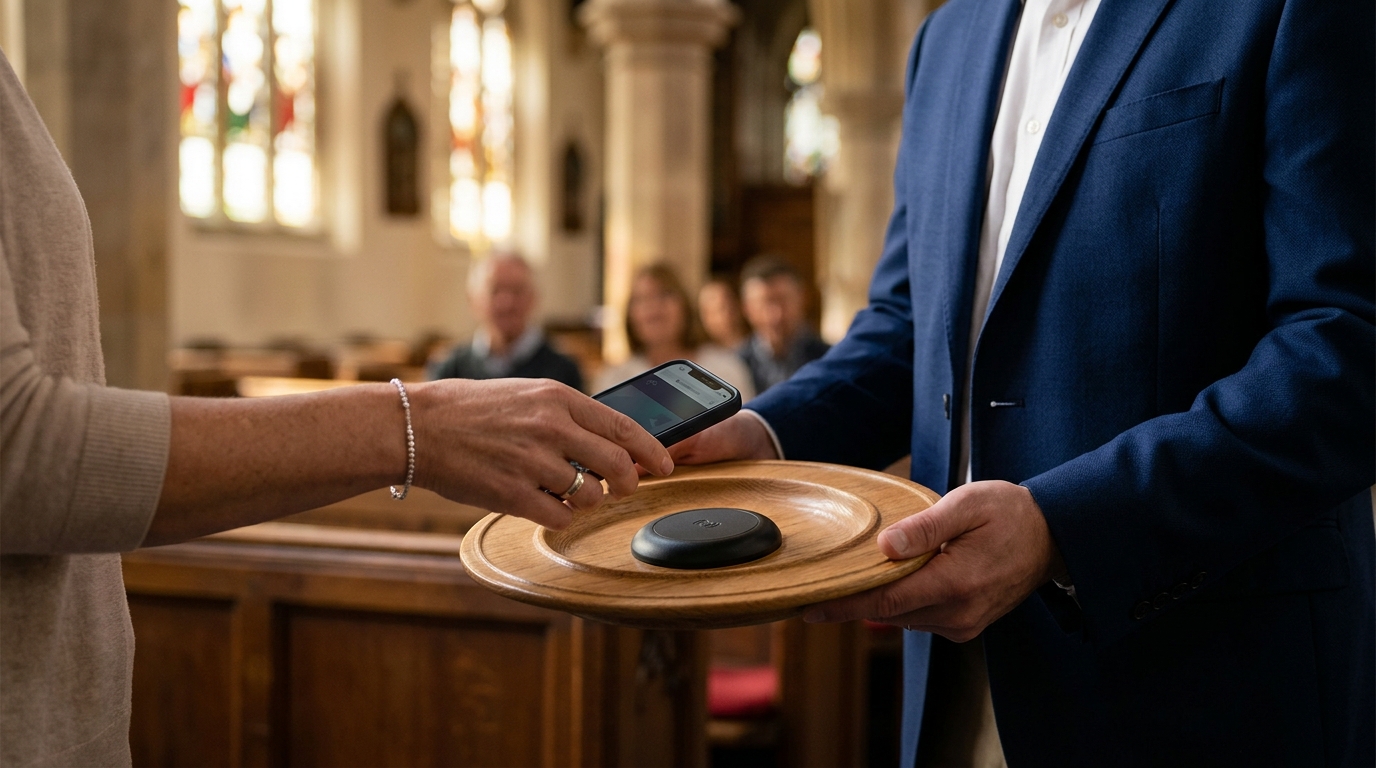
Hardware only NFC tap to give is a physical device that opens a web link when tapped by a smartphone, requiring no software installation or monthly subscription. This guide explains how the browser redirect mechanism works and compares it to standalone payment terminals. We cover the technical architecture, cost structures, and implementation strategies for churches and nonprofits.
Browser Redirect Mechanism
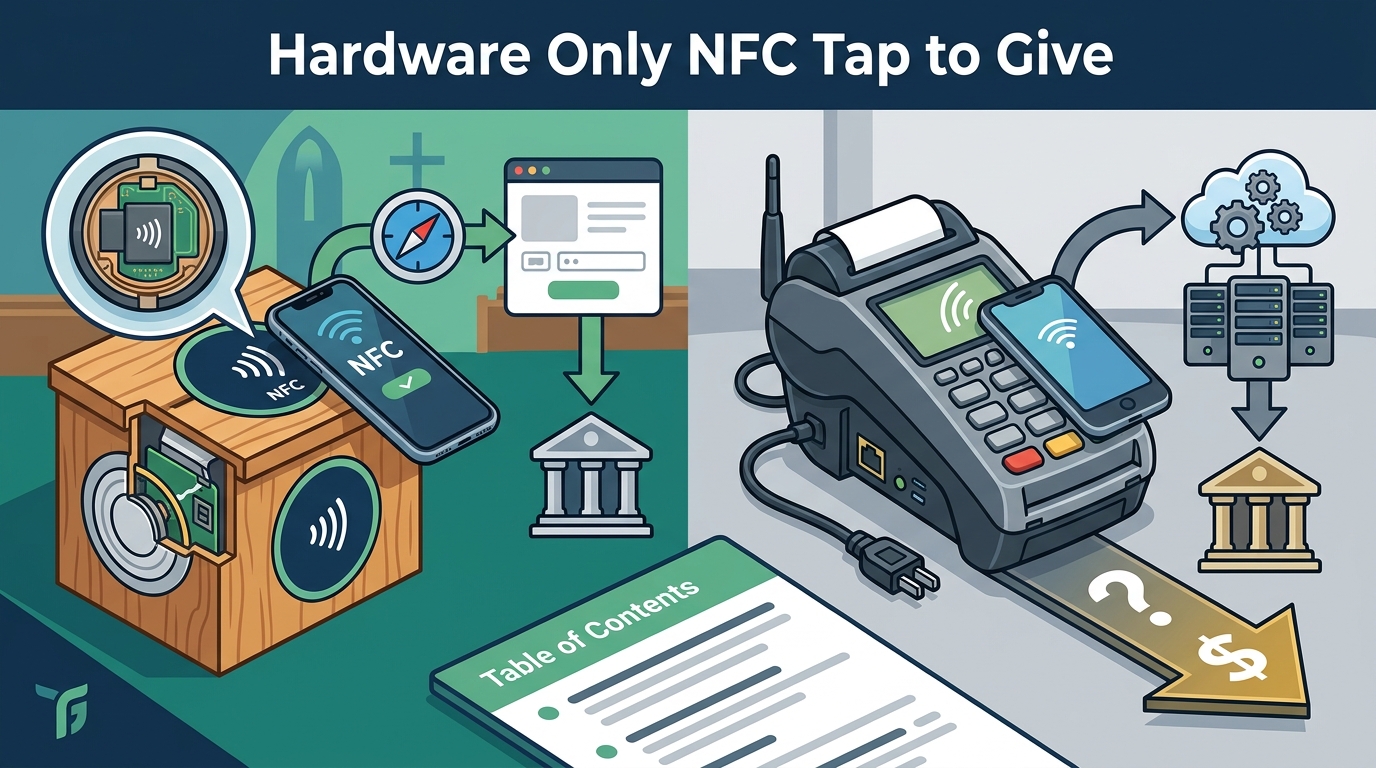
The core function of a hardware-only NFC tag is to trigger a browser redirect. An NFC tag is a passive chip that stores a single URL. When a smartphone with an NFC reader is placed within two inches of the tag, the operating system detects the chip and automatically opens the stored link in the default web browser. This process requires no application download, no Bluetooth pairing, and no internet connection on the tag itself. The tag is a dumb device that simply presents a web address to the phone's native NFC stack.
How the Redirect Works Technically
Modern smartphones, including iPhones and Android devices, have NFC hardware built into the device. When the phone's NFC antenna detects a tag, the OS sends a signal to open the URL stored in the tag's memory. The browser then loads the page, which is typically a giving platform's donation form. This mechanism is identical to how Apple Pay and Google Pay work, but instead of a payment token, it opens a web link. The user sees a browser window open, and they can enter their payment details or use a saved wallet to complete the transaction.
Advantages of the Browser Redirect Model
The primary advantage of this model is zero friction. The user does not need to know the church's website address or search for a giving app. The tap action is the only step required to reach the donation page. This reduces the cognitive load on the donor and increases the likelihood of completion. Additionally, because the tag is passive, it has no battery to replace and no firmware to update. It is a one-time hardware purchase that functions indefinitely as long as the URL remains active.
Standalone Payment Terminals
Standalone payment terminals are active devices that process credit and debit card transactions directly. A standalone terminal is a physical card reader that connects to a payment processor via cellular or Wi-Fi. Unlike passive NFC tags, these devices require a subscription to a payment processing service, a monthly fee, and often a contract. They are designed to handle the entire transaction, from card swipe to receipt printing, without relying on the user's smartphone.
How Standalone Terminals Operate
Limitations for Church Giving
For church giving, standalone terminals present several limitations. First, they are expensive. The hardware cost is high, and the monthly processing fees add up over time. Second, they are not always convenient for the donor. A terminal requires the donor to physically hand over their card or tap it on a specific spot, which can be less seamless than using their own phone. Third, they are less flexible. A terminal is a fixed point of sale, whereas an NFC tag can be placed on pews, chairs, or bulletin boards to meet the donor where they are.
Hardware Comparison Table
| Feature | Hardware Only NFC Tag | Standalone Payment Terminal |
|---|---|---|
| Device Type | Passive Chip | Active Card Reader |
| Power Source | None (Passive) | Battery or AC Power |
| Monthly Fees | None | Yes (Processing + Subscription) |
| Setup Complexity | Low (Program URL) | High (Network + Processor) |
| User Action | Tap Phone | Swipe, Chip, or Tap Card |
| Placement Flexibility | High (Pews, Chairs, Signs) | Low (Fixed Counter or Stand) |
| Best For | In-Service Giving | Event Sales or High-Volume POS |
Key Takeaways
- Hardware only NFC tags are passive devices that store a URL and open it in a browser when tapped.
- The browser redirect mechanism requires no app download or monthly subscription.
- Standalone payment terminals are active devices that process card transactions directly.
- Terminals require monthly fees, network connectivity, and ongoing maintenance.
- NFC tags are ideal for in-service giving because they are placed within arm's reach of the donor.
- Terminals are better suited for events or high-volume point-of-sale scenarios.
- Tap.Giving provides custom NFC plates that work with any giving platform.
- Choosing hardware only NFC tags reduces the total cost of ownership for churches.
Frequently Asked Questions
Do NFC tags require a monthly fee?
No. Hardware only NFC tags are a one-time purchase. They do not have a battery or a subscription, so there are no monthly fees associated with the hardware itself.
Can NFC tags work with any giving platform?
Yes. Since the tag simply opens a URL, it works with any giving platform that has a web-based donation page, including Tithely, Pushpay, Givelify, and others.
What is the difference between an NFC tag and a payment terminal?
An NFC tag is a passive chip that opens a web link. A payment terminal is an active device that processes card transactions directly and requires a subscription.
Do I need an app to use an NFC tag?
No. The tag uses the phone's built-in NFC reader to open a web browser. No app download is required.
Where should I place NFC tags in a church?
Place tags on pew backs, chair backs, or seat pockets. These locations are within arm's reach of the donor during the service, which is when the decision to give is most likely to occur.
Are NFC tags secure?
Yes. The tag itself does not store payment information. It only stores a URL. The security of the transaction is handled by the giving platform's website, which uses standard HTTPS encryption.
Conclusion
Choosing between hardware only NFC tags and standalone payment terminals depends on your specific giving goals. For in-service giving, NFC tags offer a seamless, low-cost solution that meets the donor where they are. For events or high-volume sales, standalone terminals may be more appropriate. Tap.Giving provides custom NFC plates that are designed for church sanctuaries, ensuring that your giving experience is both modern and accessible. To get started, to discuss your sanctuary layout and giving platform integration.