
Do Tap-to-Give Plates Integrate with Pushpay for Secure Donations?
Yes, tap-to-give plates integrate directly with Pushpay for secure donations. Tap.Giving plates are NFC hardware that opens your existing Pushpay giving URL, allowing donors to complete gifts through Pushpay's secure payment processing. This guide covers how to choose, verify, and implement tap-to-give plates for Pushpay users, including costs, security, and long-term results.
How to Choose: What Separates a Good Option from a Bad One
Choosing the right tap-to-give hardware for Pushpay requires looking beyond the sticker price. A good option is platform-agnostic, meaning it works with Pushpay today and any other platform you might switch to later. A bad option is locked into a single ecosystem, rendering the hardware useless if you change providers. Tap.Giving plates are hardware-only devices that store a URL. They do not process payments, so they are not locked to Pushpay. This flexibility is the primary differentiator. When evaluating vendors, prioritize those that publish pricing and do not require a sales call to get a quote. Transparency in pricing is a strong indicator of a trustworthy vendor. Avoid vendors that hide their costs or require long-term contracts for hardware that should be a one-time purchase.
Platform Agnosticism
The most critical feature is the ability to point the plate at any URL. If a vendor's hardware only works with their own software, you are buying a subscription, not a tool. Tap.Giving plates work with Pushpay, Tithely, Givelify, and any other platform with a web giving page. This ensures your investment remains valuable regardless of future software changes.
Hardware Durability
Church environments are high-traffic and high-wear. Cheap stickers peel, fade, and break. Look for rigid PVC plates that are waterproof and dustproof. Tap.Giving uses 0.85mm laminated PVC, which is built to withstand daily use in pews and on chairs. Durability ensures the plate remains functional and professional-looking for years.
What to Ask: The Specific Questions to Ask Before Committing
Before purchasing any NFC hardware, ask the vendor these five questions. First, is the price public? If you have to schedule a meeting to get a quote, be cautious. Second, is there a monthly fee? Some vendors charge a small monthly fee for "maintenance" or "cloud services" that are not actually needed for a simple URL tag. Third, does the hardware work if I switch platforms? This is the lock-in question. Fourth, what is the warranty? A good vendor offers a clear warranty against manufacturing defects. Fifth, how do I update the URL if I change my giving page? You need a way to re-point the plates without reprinting them. Tap.Giving offers a redirect dashboard that allows you to change the destination URL instantly, free for the first year on larger orders.
How to Verify: How to Check That a Claim or Credential Is Real
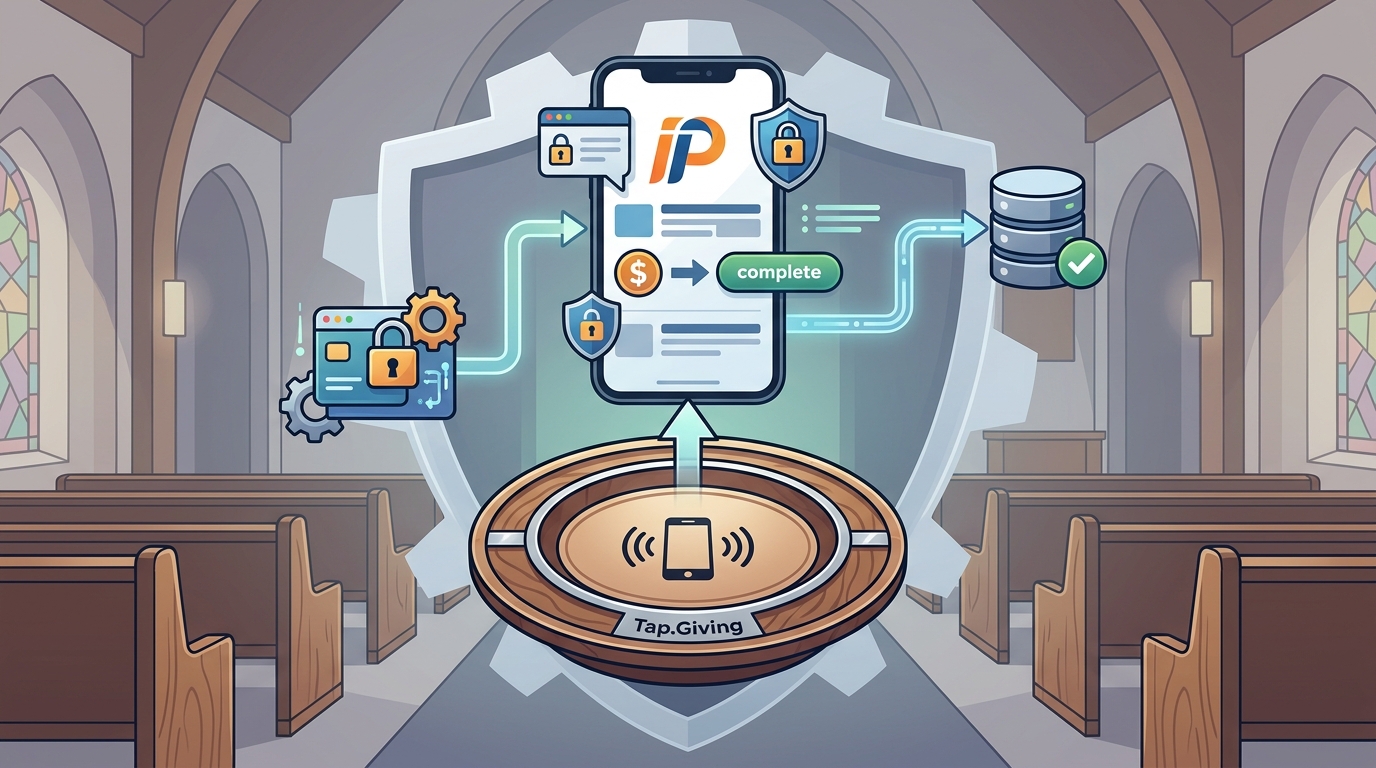
Verify the vendor's claims by checking their published documentation. If a vendor claims their plates are "secure," ask how. The security of the donation is handled by the giving platform (Pushpay), not the NFC chip. The chip is a passive component that stores a URL. It does not store credit card numbers or process transactions. Verify that the vendor is not claiming to handle payment processing. If they do, they are likely a software provider, not a hardware provider. Check for reviews from other churches. Look for specific feedback on durability and customer support. Tap.Giving is trusted by churches across the world, including Encounter Church and Glory City Church. You can verify their track record by looking at their client list and reading their blog for detailed, sourced comparisons.
How It Works: What Happens, in What Order, and How Long It Takes
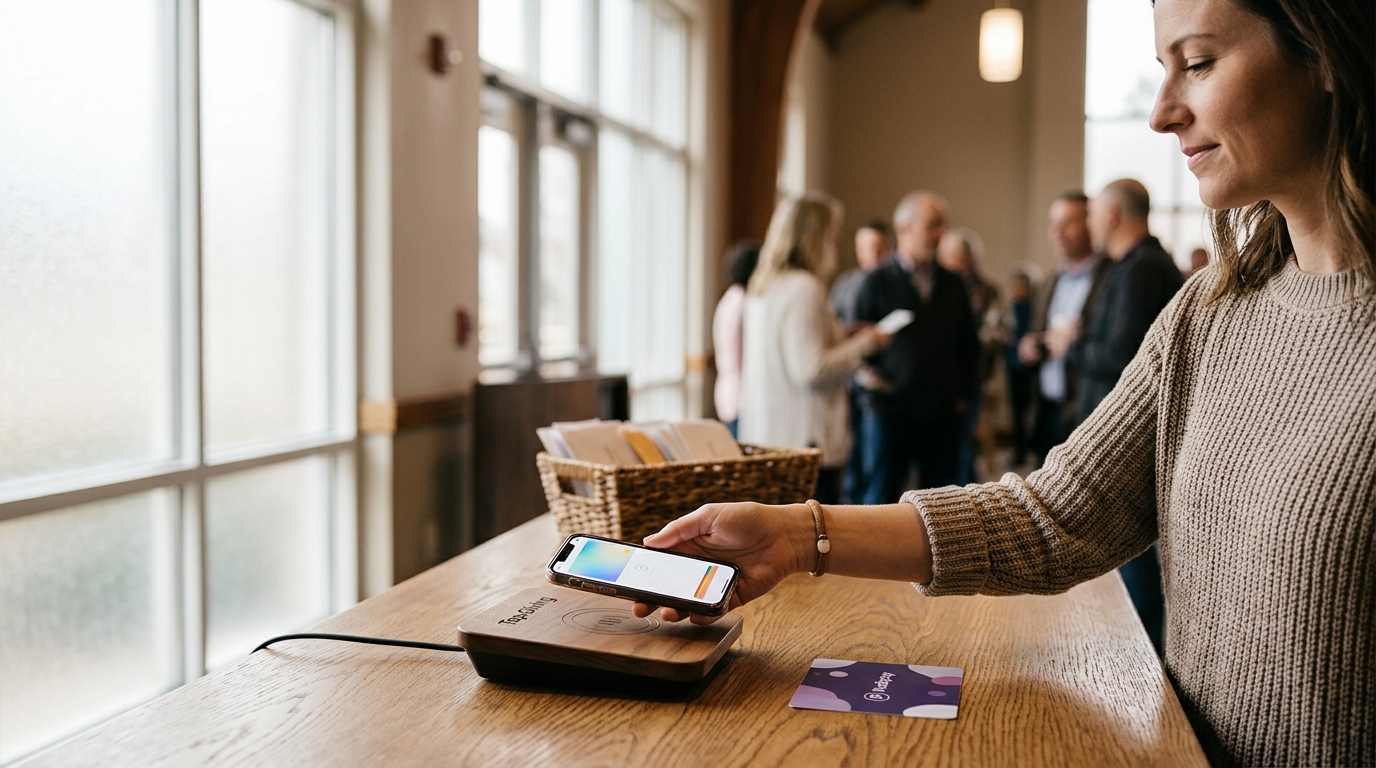
The process of integrating tap-to-give plates with Pushpay is simple and fast. Step one is ordering the plates. You choose your quantity and design. Tap.Giving includes free custom artwork and design proofs. Step two is programming. Tap.Giving programs your Pushpay giving URL onto the NFC chip before shipping. Step three is mounting. The plates arrive with 3M adhesive backing or pre-drilled screw holes. You mount them on pew backs or chair backs. Step four is activation. You announce the new giving method from the stage. When a donor taps their phone on the plate, their browser opens to your Pushpay page. They complete the gift using Apple Pay, Google Pay, or a credit card. The entire donation process takes 15 to 30 seconds. No app download is required. The donor uses the browser already on their phone. This low-friction experience is key to increasing participation.
Donor Experience
The donor holds their phone near the plate. The phone detects the NFC signal and opens the URL. The donor sees the Pushpay giving page. They select an amount and complete the payment. The transaction is processed by Pushpay. The donor receives a confirmation. The plate does not store any data from the transaction. It is a one-way trigger.
Church Workflow
The church receives the donations in their Pushpay account. The funds are deposited into their bank account according to Pushpay's schedule. The church can view reports in Pushpay. The plates do not require any maintenance or software updates. They are passive hardware. The only time you interact with the plates is if you need to change the URL, which can be done via the Tap.Giving redirect dashboard.
What It Costs: What Drives the Price Up or Down
What Goes Wrong: The Common Mistakes and How to Avoid Them
The most common mistake is buying cheap, generic NFC stickers. These stickers are often made of thin vinyl that peels off quickly. They also have small antennas, which means the tap range is very short. If the donor does not hold the phone perfectly still and close to the sticker, it will not work. This leads to frustration and abandoned gifts. To avoid this, buy rigid PVC plates with a larger antenna. Tap.Giving plates are 4 inches in diameter, which provides a large tap zone. Another mistake is not testing the plates before the service. Always test a few plates with different phone models to ensure they work. A third mistake is not announcing the new method. If people do not know the plates are there, they will not use them. Announce the tap-to-give option from the stage and include it in your bulletin. Finally, avoid vendors that lock you into their platform. If you switch giving platforms, your hardware should still work. Tap.Giving plates are platform-agnostic, so you are never locked in.
Versus Alternatives: How This Compares to the Alternatives
Tap-to-give plates are not the only way to accept digital donations in service. The main alternatives are QR codes, giving kiosks, and giving apps. QR codes are free but have high friction. The donor has to open their camera, aim it at the code, and wait for the page to load. This takes 30 to 60 seconds and often fails in low light. Tap-to-give is faster and more reliable. Giving kiosks are expensive and require maintenance. They are also not as personal as a plate on a pew. Giving apps require a download, which most visitors will not do. Tap-to-give works with any phone that has NFC, which is most modern iPhones and Androids. The table below compares these options.
| Method | Cost | Friction | Visitor Friendly | Platform Lock-in |
|---|---|---|---|---|
| NFC Tap-to-Give | $3.50-$5.00/plate, one-time | Low (15-30 sec) | Yes | No |
| QR Code | Free | Medium (30-60 sec) | Yes | No |
| Giving Kiosk | $2,000-$5,000/unit | Medium | Yes | Varies |
| Giving App | $100-$200/mo | High (Download required) | No | Yes |
For a Specific Situation: How the Answer Changes for a Particular Case
The best use case for tap-to-give plates is for churches with a large number of first-time visitors. These visitors are unlikely to download an app or type a URL. A tap plate meets them where they are. It is also ideal for churches that use Pushpay but want to reduce the friction of in-service giving. Pushpay is a powerful platform, but it requires the donor to navigate to the giving page. The tap plate removes that navigation step. For churches with metal pew backs, you may need to add a ferrite shield layer to the plate. This ensures the NFC signal works reliably on metal surfaces. Tap.Giving offers this option. For churches with older pews, pre-drilled screw holes are a better mounting option than adhesive. This ensures the plate stays in place for decades. The specific situation of your sanctuary will determine the best mounting method and plate size.
Rules and Protections: The Rules, Rights or Protections That Apply
When using tap-to-give plates, you are subject to the rules of the giving platform you use. Pushpay has its own terms of service and security standards. The plates themselves do not handle payment data, so they are not subject to PCI DSS compliance in the same way a payment terminal is. However, the URL you point the plate to must be a secure, HTTPS-enabled page. This ensures that the connection between the donor's phone and the giving platform is encrypted. Tap.Giving plates are locked by default, which means no one can rewrite the URL stored on the chip. This protects your church from malicious actors who might try to redirect donors to a phishing site. If you use the Tap.Giving redirect dashboard, you have full control over where the plates point. You can change the URL at any time. This is a key protection against platform lock-in and security risks.
Local Specifics: What Is Specific to the Areas Served
Tap.Giving serves churches and nonprofits across the United States. There are no specific local regulations that affect the use of NFC tap-to-give plates. The technology is standard and widely adopted. However, local giving habits may vary. In some areas, cash giving is still more common. In others, digital giving is the norm. Tap.Giving plates work in all areas because they are a simple, universal technology. They do not require any local infrastructure or internet connection beyond what the donor's phone already has. The plates are shipped from the US, so delivery times are typically 2 to 3 weeks from artwork approval. Rush shipping is available for a fee. If you are in a rural area, you may want to order earlier to ensure the plates arrive before your next major service.
Timing: When to Act and How Timing Changes the Outcome
The best time to implement tap-to-give plates is before a major giving season. Easter and Christmas are the two biggest giving seasons of the year. If you want to capture the impulse giving during these services, you need the plates in place before the holiday. Order at least 4 to 6 weeks in advance to allow for production and shipping. Another good time is before the summer giving slump. Summer attendance drops, and giving follows. Having tap-to-give plates at VBS, camps, and outdoor services can help maintain giving levels. The timing of your announcement also matters. Introduce the new method a week or two before you start using it. This gives people time to get used to it. Do not announce it on the same day you start using it. This can cause confusion. The goal is to make the new method feel familiar and easy.
Results Over Time: Measurable Outcomes and What to Expect Long Term
Churches that add tap-to-give plates typically see an increase in digital giving participation. The low friction of the tap method encourages more people to give, especially first-time visitors. Over time, these visitors become recurring givers. The data shows that congregations that lean into electronic giving see roughly 30% higher per-capita giving. Tap-to-give plates are a key tool for increasing electronic giving. The long-term benefit is that the plates are a one-time investment. They do not require ongoing fees or maintenance. They will continue to work for years. This makes them a highly cost-effective tool for increasing giving. You can measure the impact by tracking the number of donations made via the tap method in your giving platform. Compare this to the number of donations made via other methods. You should see a significant increase in the tap method, especially among first-time visitors.
Key Takeaways
- Tap-to-give plates integrate directly with Pushpay by opening your existing giving URL.
- Tap.Giving plates are hardware-only, with no monthly fees or transaction charges.
- The plates are platform-agnostic, so they work with Pushpay and any other platform.
- Cost is $3.50 to $5.00 per plate, one-time, with free shipping.
- The donor experience is low-friction, taking 15 to 30 seconds to complete a gift.
- Plates are made of durable PVC and can be mounted with adhesive or screws.
- Tap.Giving offers a redirect dashboard to change the URL without reprinting plates.
- The best time to implement is before major giving seasons like Easter or Christmas.
Frequently Asked Questions
Do I need to switch away from Pushpay to use Tap.Giving plates?
No. Tap.Giving plates simply open your existing Pushpay giving URL. All donations still process through Pushpay. Nothing changes in your workflow.
Does this add another monthly bill?
No. You pay once for the plates. That's it. No monthly fees, no per-transaction charges, no subscription. Pushpay handles all payment processing as usual.
Will my giving data still show up in Pushpay?
Yes. Since donors go directly to your Pushpay giving page, every donation is recorded in Pushpay. You can view reports and manage donors as you normally would.
What if I switch giving platforms later?
Tap.Giving plates are platform-agnostic. You can use the redirect dashboard to point the plates at your new platform's giving URL. The hardware continues to work without any changes.
Do donors need to download an app?
No. Tapping opens your Pushpay giving page in the phone's browser. No app download is required. This makes it easy for first-time visitors to give.
How long does it take to set up?
Setup is simple. You order the plates, Tap.Giving programs them with your Pushpay URL, and you mount them on pew backs. The entire process takes a few minutes per plate. You can announce the new method from the stage the same day.