Does NFC Tap Work With My Giving Platform?
Yes, NFC tap-to-give works with virtually any giving platform that provides a web URL. Tap.Giving plates are simple NFC hardware that opens your existing donation page in a browser, requiring no API integration, SDK, or platform switch. This guide covers how the technology connects to your current software, the role of backup QR codes, and how to verify compatibility before purchasing.
How NFC Connects to Your Platform
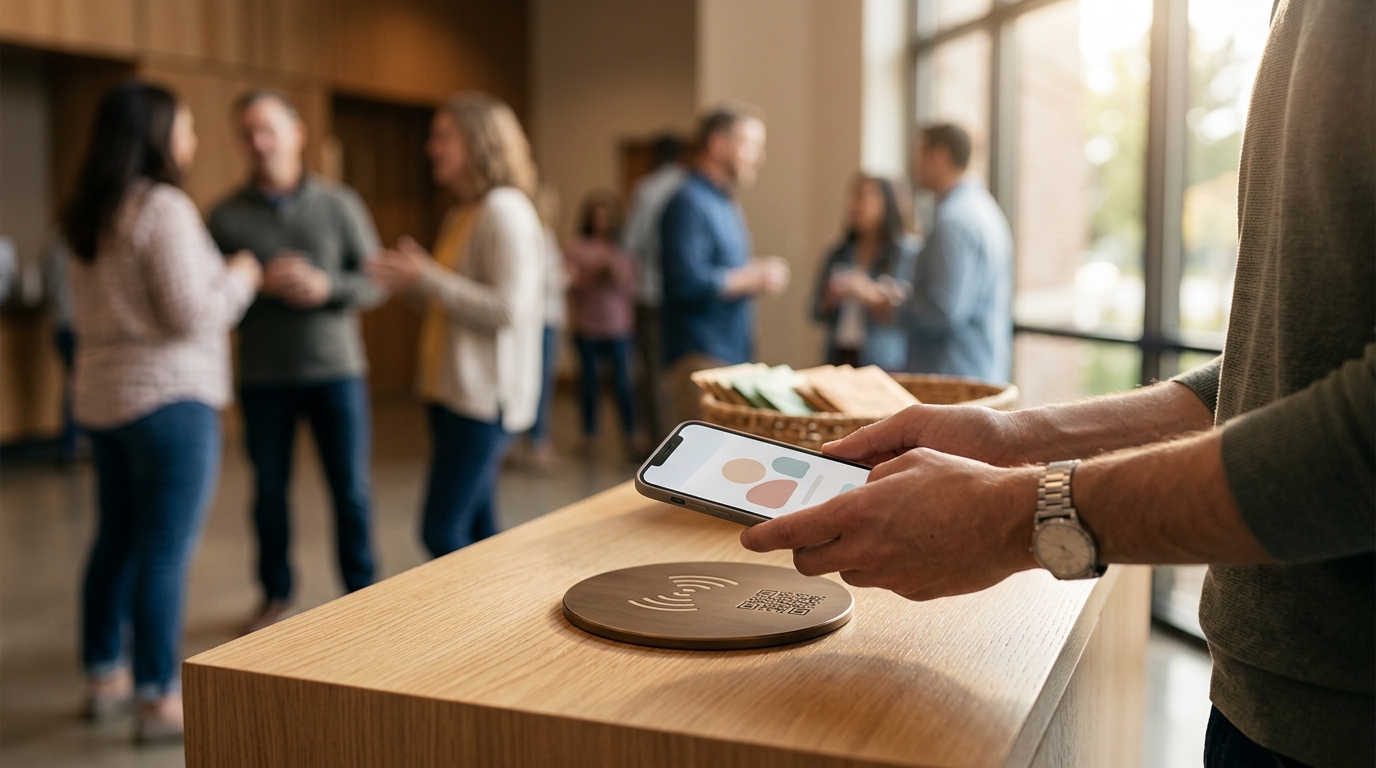
Near Field Communication (NFC) is a short-range wireless technology that allows devices to exchange data when placed within a few centimeters of each other. In the context of church giving, an NFC tag is a passive chip embedded in a durable plate that stores a single piece of data: a URL. When a donor holds their smartphone near the plate, the phone's built-in NFC reader detects the chip and automatically opens the stored link in the default web browser.
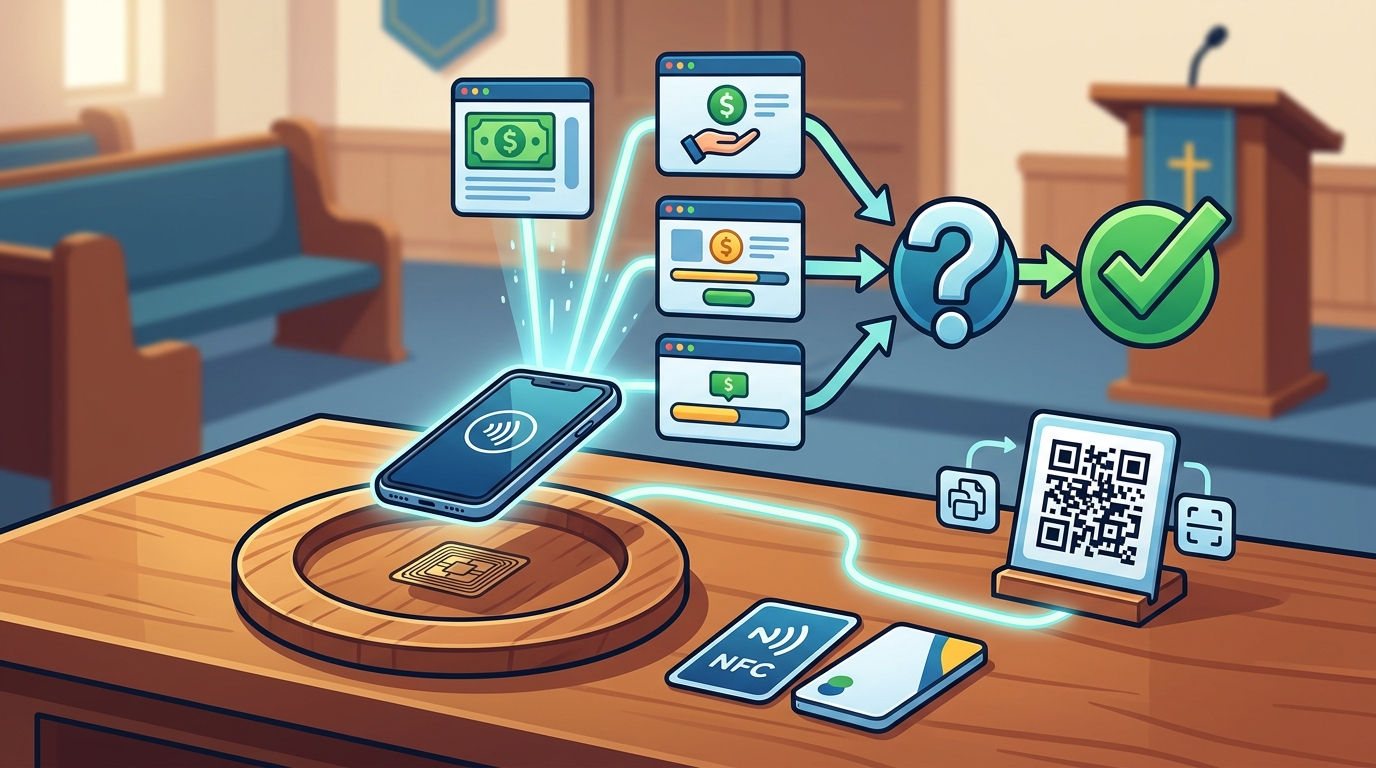
This mechanism is fundamentally different from app-based giving. Because the plate simply opens a web address, it does not need to "talk" to your giving platform's API. It does not require a specific SDK, a developer key, or a proprietary app installation. If your giving platform provides a public web link for donations, an NFC plate can point to it. This makes the hardware platform-agnostic by design.
The Role of the Browser
The smartphone's browser acts as the bridge between the physical plate and the digital giving system. Whether you use Tithely, Givelify, Pushpay, or a custom WordPress form, the donor lands on the same page they would see if they typed the URL manually. The transaction is then processed entirely by your existing payment processor and giving software. Tap.Giving does not process payments, store donor data, or take a transaction fee. The hardware is a passive trigger, not a payment terminal.
Platform Compatibility Breakdown
Most major church giving platforms generate a unique web URL for each organization. This URL is the key to compatibility. Below is a breakdown of how NFC tap-to-give integrates with popular giving ecosystems.
| Platform | Compatibility Method | Notes |
|---|---|---|
| Tithely | Direct URL | Points to your Tithely giving page. No app required for guests. |
| Givelify | Direct URL | Opens Givelify web form. Faster than scanning a QR code. |
| Pushpay | Direct URL | Bypasses the need to download the Pushpay app for one-time gifts. |
| Donorbox | Direct URL | Works with standard Donorbox donation forms. |
| Subsplash | Direct URL | Alternative to Subsplash Tap Tags; works with existing Subsplash Giving. |
| Planning Center | Direct URL | Points to Church Center giving page. No app needed. |
If your platform is not listed above, check if it provides a public donation link. If it does, it is compatible. Tap.Giving supports any URL, including custom landing pages, Linktree profiles, or specific campaign pages. This flexibility ensures that you are never locked into a single vendor's hardware ecosystem.
Backup QR Codes and Fallbacks
Why Dual-Mode Hardware Matters
Not every smartphone has an NFC reader. Older iPhones (prior to iPhone XS) and some budget Android devices may lack this feature. Additionally, some users may have disabled NFC in their phone settings or may simply be more comfortable using their camera to scan a code. By including both an NFC chip and a QR code, you ensure that 100% of your congregation can give, regardless of their device capabilities.
The QR code is printed directly onto the durable PVC plate, ensuring it remains scannable even after years of use. This dual-mode approach eliminates the "tech gap" that often prevents first-time visitors from giving. If a donor's phone does not react to the tap, they can immediately switch to scanning the QR code without leaving their seat or asking for help.
Technical Requirements and Security
Implementing NFC tap-to-give requires minimal technical setup on your end. The primary requirement is a stable, public URL for your giving page. The plate itself is a passive device, meaning it has no battery, no moving parts, and no software to update. This makes it highly reliable and low-maintenance.
Device Compatibility
NFC works with all iPhone models from the iPhone XS (2018) and newer, as well as most Android phones from 2015 onward. For older iPhones, the NFC Tag Reader app in the Control Center can be used to scan the plate. The QR code fallback covers all other devices, including tablets and older smartphones.
Security and Data Privacy
Because the plate only stores a URL, it does not collect or store any personal donor information. All data entry and payment processing occur on your giving platform's secure servers, which are typically PCI DSS compliant. Tap.Giving does not have access to your donor database, transaction history, or financial records. This separation of hardware and software ensures that your data remains private and secure within your existing ecosystem.
Implementation Steps
Deploying NFC tap-to-give plates is a straightforward process that can be completed in a few days. Here is the step-by-step workflow for integrating the hardware with your existing giving platform.
Step 1: Verify Your Giving URL
Log in to your giving platform and locate the public URL for your donation page. Ensure that this link works on a mobile device and that it allows guest giving without requiring an account login. If your platform requires a login for first-time givers, consider creating a dedicated guest giving page or using a landing page that redirects to your platform.
Step 2: Order and Customize Plates
Order the appropriate quantity of plates based on your seating capacity. Tap.Giving offers custom branding, allowing you to print your church logo, colors, and a clear instruction line (e.g., "Tap to Give") on the plate. You can choose between adhesive backing for quick installation or pre-drilled holes for permanent mounting on pews or chairs.
Step 3: Mount and Test
Mount the plates on the back of pews, chairs, or at welcome desks. Before your next service, test the plates with a variety of smartphones to ensure the NFC tap opens the correct page and that the QR code is scannable. Once verified, announce the new giving method from the stage to encourage adoption.
Key Takeaways
- NFC tap-to-give works with any giving platform that provides a public web URL.
- The hardware is passive and does not require API integration, SDKs, or app downloads.
- Tap.Giving plates include a backup QR code to ensure compatibility with all devices.
- No transaction fees or monthly subscriptions are charged by the hardware provider.
- Security is maintained because donor data is processed entirely by your existing giving platform.
- Implementation is simple: verify your URL, order custom plates, and mount them in your sanctuary.
- This solution bridges the gap between physical presence and digital giving for first-time visitors.
Frequently Asked Questions
Do I need to switch my giving platform to use NFC plates?
No. Tap.Giving plates are platform-agnostic. They simply open the URL you provide, so you can keep your current giving software and add the hardware without any migration.
What if my phone doesn't have NFC?
Every Tap.Giving plate includes a printed QR code. If your phone does not have NFC or if the tap does not work, you can use your camera to scan the QR code and access the same giving page.
Does Tap.Giving charge a fee on donations?
No. Tap.Giving is a hardware-only provider. We do not process payments, so we do not take a transaction fee or a percentage of donations. All fees are determined by your existing giving platform.
Can I change the URL on the plate later?
Yes. Tap.Giving offers a "Never-Reprint" redirect service. This allows you to update the destination URL of all your plates instantly via a dashboard, without needing to buy new hardware if you switch platforms in the future.
Are the plates durable enough for church use?
Yes. The plates are made from double-laminated PVC that is waterproof, dustproof, and resistant to daily wear. They are designed to withstand the high-traffic environment of a sanctuary.
How long does it take to set up?
Setup is minimal. Once the plates arrive, you simply mount them on your seating or desks. There is no software installation or configuration required on your end.