

Does NFC Tap Work With My Giving Platform?
Yes, NFC tap-to-give works with virtually every major church giving platform, including Tithely, Pushpay, Givelify, Donorbox, and Planning Center. Tap.Giving plates are hardware-only devices that store a URL, meaning they open the specific giving page you already use without requiring API integration, SDKs, or platform switching. This guide covers how the technology connects to your existing software, the role of backup QR codes, and how to verify compatibility before purchasing.
How NFC Connects to Your Platform
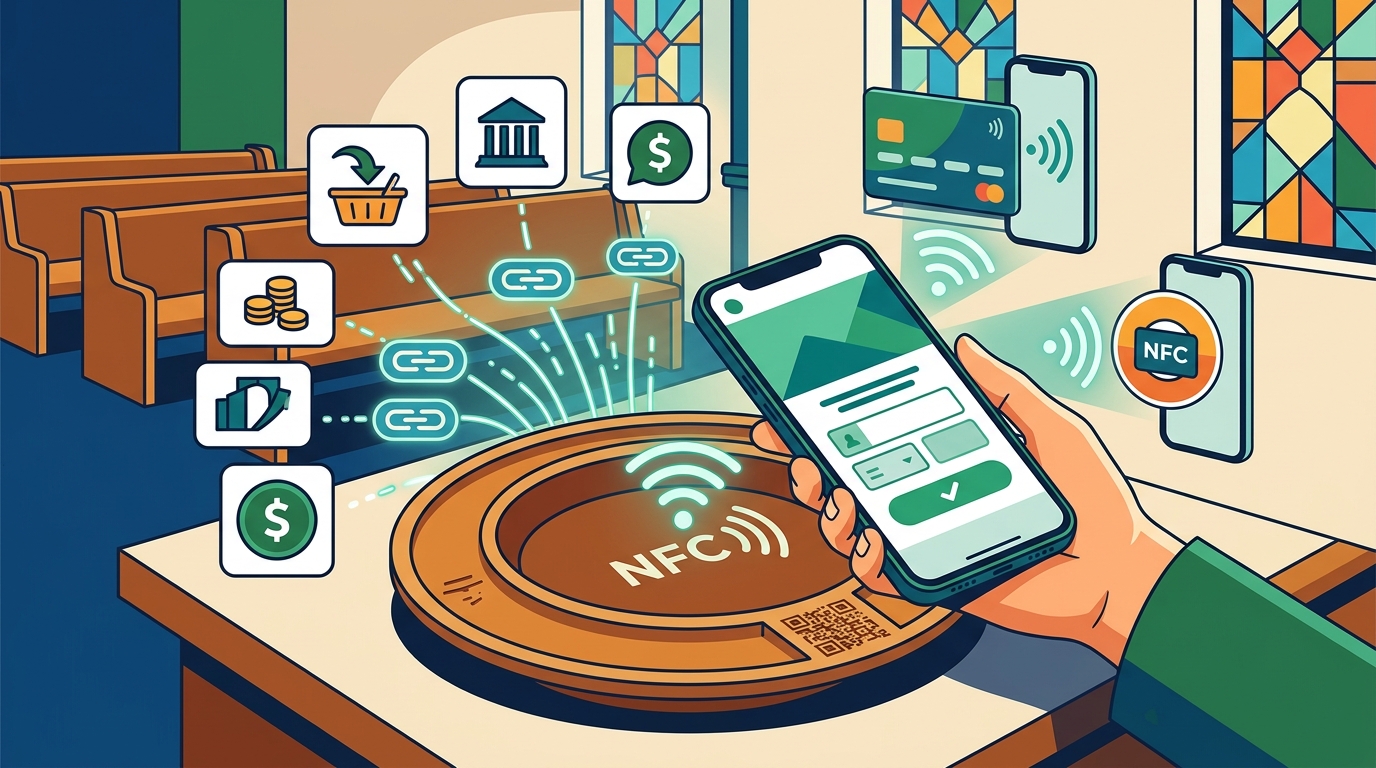
Near Field Communication (NFC) is a short-range wireless technology that allows devices to exchange data when placed within a few centimeters of each other. In the context of church giving, an NFC plate is a physical tag containing a microchip that stores a single web address. When a donor holds their smartphone near the plate, the phone reads the chip and automatically opens the stored URL in the default browser. This mechanism is universal because it relies on standard web protocols rather than proprietary software handshakes.
The critical distinction for church leaders is that the plate does not process payments. It simply acts as a digital shortcut to your existing donation page. Whether your church uses a free tier or an enterprise plan, the plate opens the same landing page a donor would reach by typing your website address. This architecture ensures that all transaction data, donor records, and receipts remain within your current giving platform. You do not need to migrate your database or change your payment processor to add tap-to-give functionality.
Why No API Integration Is Required
Many software integrations require developers to write code that connects two systems. NFC tap-to-give bypasses this entirely. The chip is pre-programmed with a static URL before shipping. Because the destination is a standard web link, the phone treats the tap exactly like a user clicking a hyperlink on a website. This means there is no ongoing technical maintenance, no API key management, and no risk of the integration breaking during a software update on your giving platform.
Platform Compatibility Breakdown
Tap.Giving plates are designed to be platform-agnostic. They work with any giving solution that provides a public web URL for donations. Below is a breakdown of how the technology interacts with the most common platforms used by U.S. churches in 2026.
| Giving Platform | Compatibility Status | Integration Method | Key Benefit |
|---|---|---|---|
| Tithely | Full Support | Plate opens Tithely giving URL | Keeps Tithely's low fees, adds in-person tap |
| Pushpay | Full Support | Plate opens Pushpay giving URL | Bridges app users to web giving |
| Givelify | Full Support | Plate opens Givelify giving URL | Faster than scanning Givelify QR codes |
| Donorbox | Full Support | Plate opens Donorbox campaign URL | Converts first-time visitors to recurring donors |
| Planning Center | Full Support | Plate opens Church Center giving URL | No app download required for guests |
| Subsplash | Full Support | Plate opens Subsplash giving URL | One-time cost alternative to Subsplash Tap |
For platforms like Tithely and Givelify, the tap plate serves as a frictionless entry point for guests who may not have the mobile app installed. For platforms like Pushpay and Subsplash, which often rely on app-based engagement, the plate ensures that visitors can give immediately without navigating a digital storefront. The hardware remains the same regardless of the software; only the URL programmed into the chip changes.
Backup QR Codes and Fallbacks
While NFC is the primary interaction method, robust giving hardware includes a fallback mechanism for devices that do not support NFC or for users who prefer scanning. Tap.Giving plates include a printed QR code on the face of the plate. This QR code points to the exact same URL as the NFC chip. If a donor has an older smartphone without NFC capabilities, or if they are more comfortable using their camera, they can scan the QR code to reach the giving page.
This dual-approach design addresses a common concern: device compatibility. Every iPhone since the XS (2018) and every Android phone from 2015 onward supports NFC. However, a small percentage of the congregation may still use older devices. The QR code ensures that no one is excluded from giving due to hardware limitations. Furthermore, the QR code serves as a visual cue for users who may not realize the plate is interactive. Seeing the code prompts them to engage, whether by tapping or scanning.
Why QR Codes Alone Are Insufficient
QR codes require the user to unlock their phone, open the camera app, aim the lens at the code, and wait for the image to process. This multi-step process introduces friction that can cause donors to abandon the transaction. NFC, by contrast, is a single motion: hold the phone near the plate. The backup QR code is a safety net, not the primary driver of giving. It ensures accessibility without compromising the speed and ease of the NFC experience.
Troubleshooting Connection Issues
Occasionally, a tap may not register. This is usually due to physical placement or device settings. First, ensure the phone is held within one to two inches of the plate. The NFC antenna has a limited range, and holding the phone too far away will prevent the connection. Second, check that the phone is not in airplane mode, as this disables wireless radios including NFC. Third, verify that the plate is not mounted on a metal surface without a ferrite shield. Metal can interfere with the NFC signal, rendering the tag unreadable. Tap.Giving offers an on-metal backing option for plates mounted on metal chair backs or fixtures.
If the plate is not working, test it with a different phone to isolate the issue. If multiple phones fail to read the plate, the chip may be damaged or the URL may need to be updated. Tap.Giving plates are locked by default to prevent accidental rewriting, but they can be reprogrammed if the destination URL changes. This flexibility ensures that if your church switches giving platforms in the future, you do not need to replace the physical hardware. You simply update the URL on the existing plates.
Key Takeaways
- NFC tap-to-give works with any giving platform that has a public web URL, including Tithely, Pushpay, Givelify, Donorbox, and Planning Center.
- The plate is hardware-only and does not process payments; it simply opens your existing giving page in the donor's browser.
- No API integration, SDK, or developer work is required to connect the plates to your software.
- Every Tap.Giving plate includes a backup QR code for devices that do not support NFC or for users who prefer scanning.
- Plates are locked by default to prevent unauthorized changes, but can be reprogrammed if you switch giving platforms later.
- Mounting on metal surfaces requires a ferrite shield to ensure reliable NFC signal transmission.
- The one-time cost of the hardware eliminates monthly subscription fees associated with some tap-to-give solutions.
- Tap.Giving plates are compatible with both iPhone and Android devices, covering the vast majority of modern smartphones.
Frequently Asked Questions
Do I need to switch my giving platform to use NFC plates?
No. Tap.Giving plates are platform-agnostic. They work with the giving platform you already use. You simply program the plate with your current giving URL. If you switch platforms in the future, you can update the URL on the existing plates without buying new hardware.
Do donors need to download an app to use the plates?
No. Tapping the plate opens your giving page in the phone's default browser. Donors do not need to download any app or create an account. They can give using Apple Pay, Google Pay, or a credit/debit card directly on your existing giving page.
What if my church uses a custom website for giving?
If your custom website has a public URL for donations, the plates will work. The chip stores the URL, and the phone opens it in the browser. As long as the page is accessible and secure, the tap-to-give experience will function correctly.
Are the plates compatible with older phones?
NFC is supported on all iPhones since the XS (2018) and Android phones from 2015 onward. For older devices that do not support NFC, the plate includes a printed QR code that donors can scan with their camera to reach the giving page.
Can I change the URL on the plates later?
Yes. While the plates are locked by default to prevent accidental changes, Tap.Giving offers a redirect dashboard that allows you to update the destination URL instantly. This is free for the first year on any order and free forever for orders of 400 or more plates.
Do the plates work on metal surfaces?
Standard NFC tags do not work on metal because the metal interferes with the signal. However, Tap.Giving offers an on-metal backing option with a ferrite shield that allows the plate to work reliably on metal chair backs, railings, and fixtures.
Is there a monthly fee for the plates?
No. Tap.Giving charges a one-time fee for the hardware. There are no monthly fees, setup fees, or transaction fees taken by Tap.Giving. You pay once for the plates and use them indefinitely.
Conclusion
NFC tap-to-give is a seamless addition to any existing church giving infrastructure. By using hardware that simply opens your current giving page, you eliminate the friction of app downloads and URL typing while maintaining full control over your donor data and payment processing. Tap.Giving provides the durable, custom-branded plates needed to make this transition, with backup QR codes ensuring accessibility for all device types. To see how the plates look with your church's branding and to get an exact price quote, start your order today.